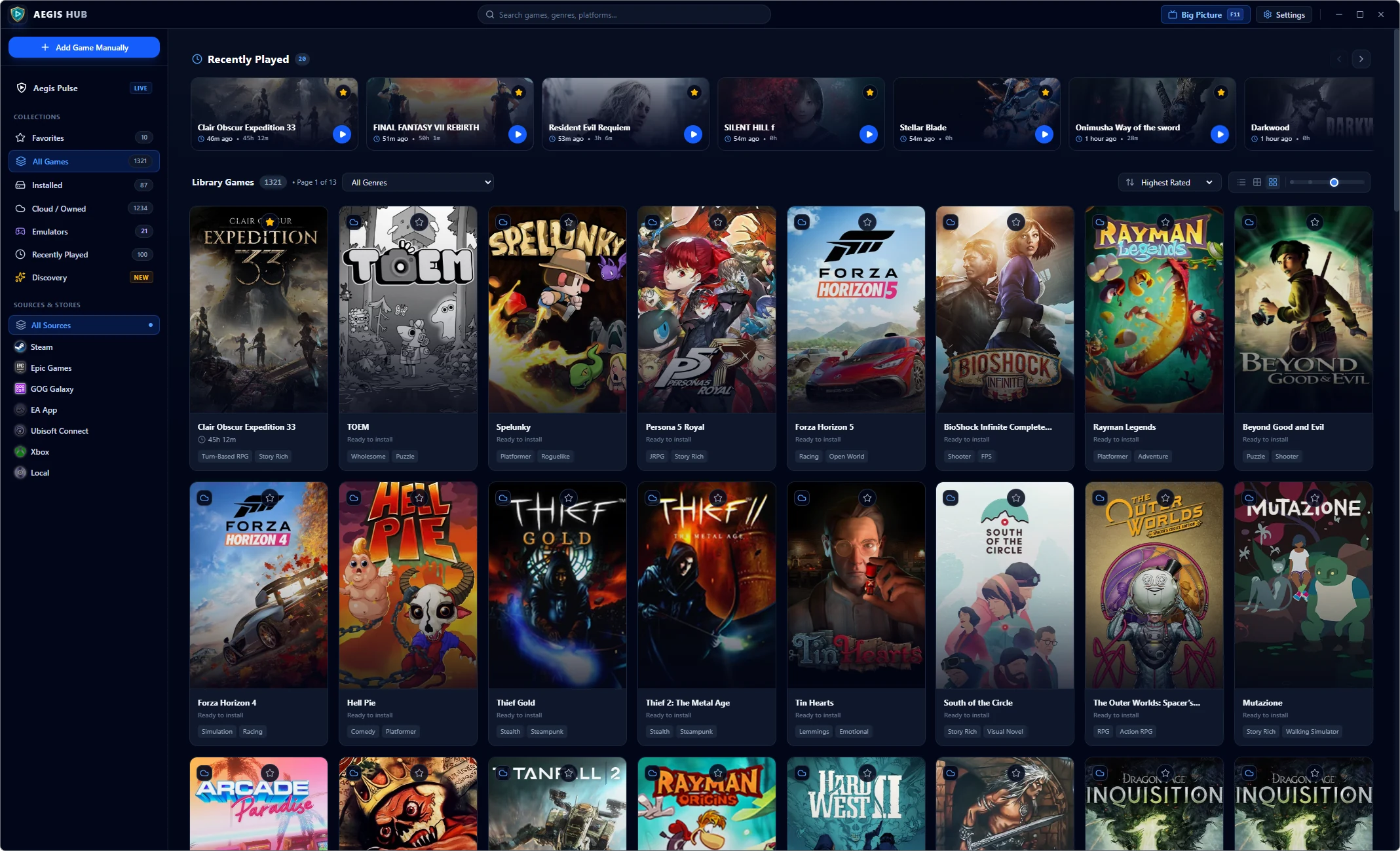
Aegis Hub unifies multiple storefronts and classic emulators into a fast, TV-friendly interface with free game giveaways.
All your PC gaming clients, standalone titles, and emulated libraries integrated into one elegant command center. No moving tickers or clunky launchers.


Forget having five separate launchers open eating up your RAM and pushing background updates. Aegis Hub consolidates your entire gaming world with maximum fluidity.
Automatically detect installed and owned cloud games from Steam, Epic Games, GOG Galaxy, Ubisoft Connect, EA App, and Xbox PC without even signing in, or scan any custom folder recursively for standalone and DRM-free titles. View live Steam community review scores and official screenshot galleries directly inside each game's detail view.
Describe the mood, mechanics, or favorite titles you're craving and let the integrated Gemini AI engine recommend matching critically acclaimed games, complete with release calendars, RAWG catalog browsing, NSFW filtering, and direct store links.
Track exact session duration down to the hour and minute with a 7-day Activity & Playtime chart, active day streaks, Library Explored progress, Prime Time gaming habits, Most Played rankings, and recent Steam/GOG achievements, plus manual time editing for offline or retro sessions.
Automatically pull crisp box art, hero banners, genres, and descriptions from Steam CDN, Libretro Thumbnails, GOG Catalog, Wikipedia, Internet Archive, and web fallback, or pick local files and custom URLs on demand. Switch smoothly between Grid, Compact Icon, and List views.
Scan ROM directories across PlayStation, Nintendo, Sega, Xbox, and RetroArch presets with smart BIOS filtering, custom emulator profiles, and one-click box art scraping. Switch seamlessly into Big Picture Mode with auto-detected Xbox, PlayStation, and Switch Pro glyphs, audio feedback, and quick-launch shortcuts for Discord, Spotify, and OBS.
Your library, playtime logs, custom artwork, and activity history stay 100% local on your machine. Export and restore complete JSON backups anytime, organize with a Hidden Games vault, and keep Aegis fast in the System Tray.
Aegis Pulse monitors Epic Games, Steam, GOG, Amazon Prime, and DRM-Free giveaways while tracking your weekly playtime, streaks, and achievements in one unified dashboard.
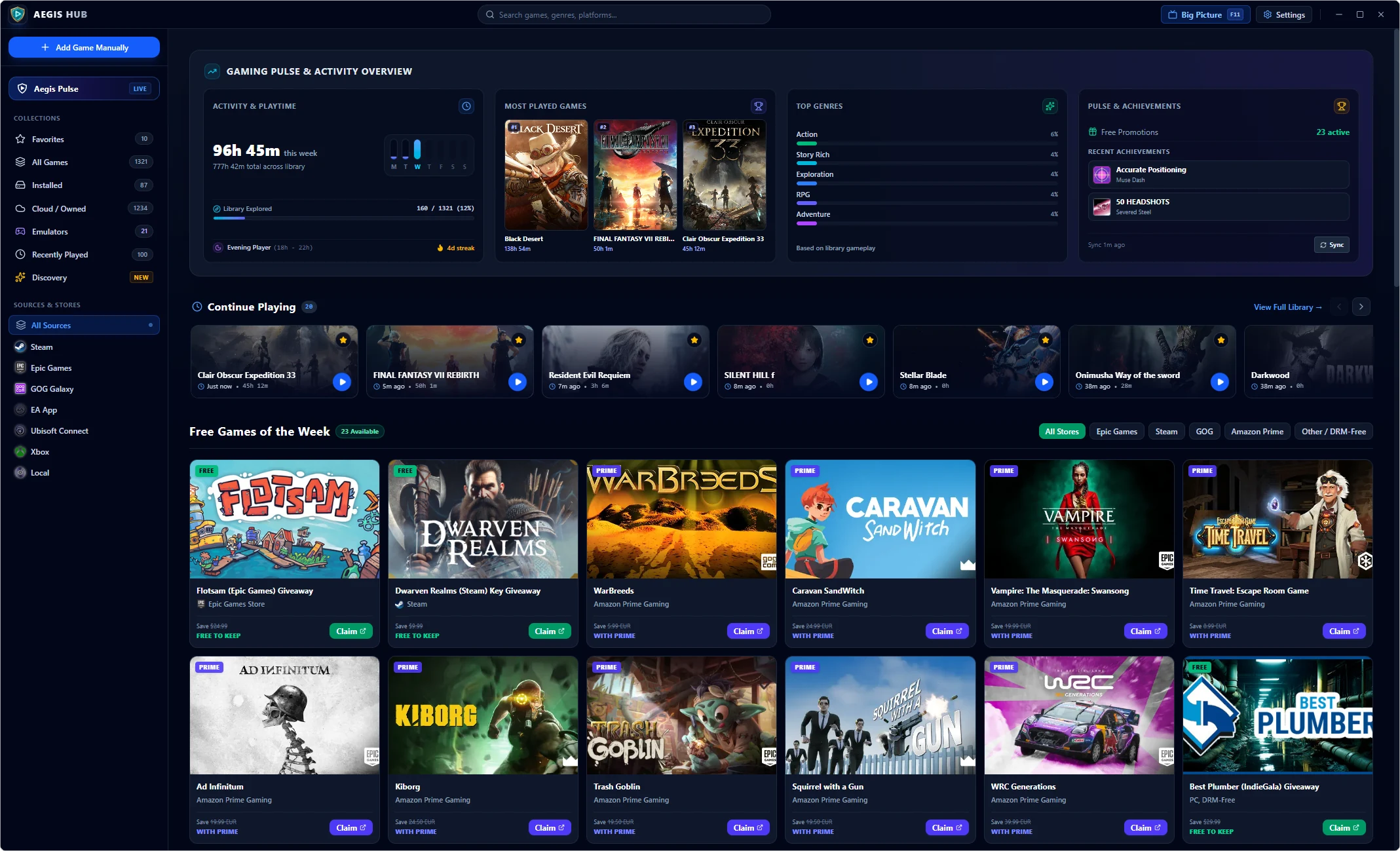
Filter active free games across Epic Games, Steam, GOG, Amazon Prime, and DRM-Free drops with 1-click claim links.
See weekly hours, library completion percentage, top genres, most played titles, and your active gaming streak at a glance.
Jump straight back into recent sessions and review unlocked achievements across connected PC storefronts.
Hook up your PC to your living room display, pick up your favorite gamepad, and launch straight into Big Picture — a fluid 60 FPS interface crafted for couch gaming.
 Aegis Big Picture
F11
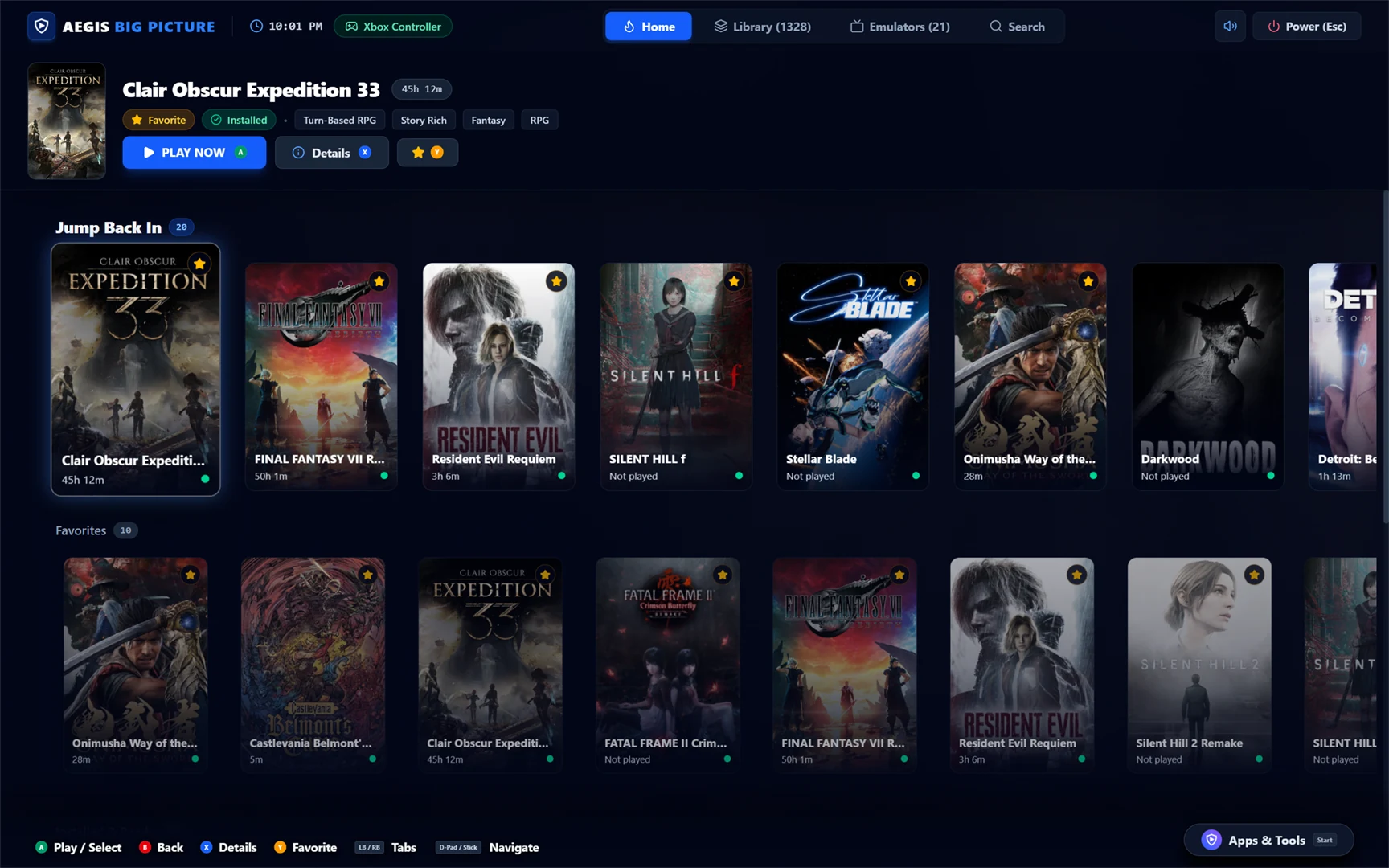
Zero mouse and zero physical keyboard required. Native support for Xbox Series/One, PlayStation DualSense (with haptics), and Nintendo Switch Pro controllers.
Quickly search your entire game catalog using thumbsticks and triggers without ever leaving your comfortable couch.
Suspend sessions, shut down, or restart your computer by pressing the Guide/Home button on your controller or pressing F11 / Alt+Enter.
Aegis Hub discovers installed emulators, organizes your ROM folders, and automatically fetches original high-res box arts and logos via SteamGridDB.




Choose between the full Windows installer with system integration or the standalone portable edition for USB drives and external SSDs. No forced accounts or telemetry.
Standard Windows installation with Desktop and Start Menu shortcuts, protocol handler registration for startup with Windows, and seamless background updates.
Self-contained executable requiring zero installation. Keeps all databases, cover arts, and configurations in a local folder right next to the executable. Perfect for USB thumb drives and external SSDs.
Drop the executable into your favorite folder (e.g. on your USB drive or in D:\AegisHub\).
Aegis Hub automatically builds its data folder beside the executable without altering your Windows registry.
Windows 10 / 11
64-bit only4 GB Minimum
8 GB recommended~120 MB
Free disk spaceDirectX 11 / Vulkan
60 FPS Hardware Accel.